Breakfast
During the beta, all SmakPlan features are free.
After the beta ends, basic planning, shopping lists and cooking will remain free. Plus features will include automatic scheduling for 4-7 days, using available products, reducing leftovers and reusing saved meals.
The Plus price and beta end date have not been set yet. We will notify you in the app at least 14 days in advance. You will keep access to your meals, notes and backups. Limits apply only to new Plus actions.
Beta participants will receive an additional month of Plus free after the beta ends. You can activate the paid subscription yourself; We will not charge you fees automatically.
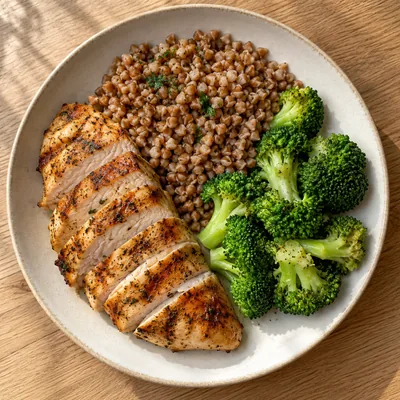
Work lunches and other meals to pack.
Free beta · Free accountDemo Data · Try it below

We took away the supplies from the pantry: 20 g of flakes and olive oil.
Check off the products. This is just an example.
Cook the groats or rice according to the instructions on the package. Wash and cut the vegetables.
Choose your goals, preferences and time for cooking. Swap meals until the plan works for you.
All ingredients in one list. Include pantry supplies and only check off what's missing.
Portions, weights and step-by-step instructions. Keep your proven plan and come back to it the following week.
Create a free account to plan meals and use your shopping list across devices.
A few things to know before your first plan.
Create a free account and confirm your email, or sign in with Google. Once signed in, you can plan meals and use recipes, shopping lists and tools. Your data is saved on your device and synced with your account.
Yes. All features are free during the beta. No payment card is required.
After the beta, basic planning, shopping lists and cooking will remain free. Plus will include generating 4–7-day plans, using pantry stock, reducing leftovers and reusing older plans. We will announce the price and beta end date in the app at least 14 days in advance. You will keep access to your saved data.
The calorie target covers all selected meals for one day. Lunch is selected by default, and you can add other meals. Nutrition values are estimates for planned meals.
Yes. Choose your dietary preferences and exclude ingredients you want to avoid. Smakplan uses these settings when generating your plan. You can also swap meals and adjust portions.
Yes. After the app has fully loaded online, you can plan meals, view recipes and cook offline. Shopping lists remain available on a device where you’ve signed in. Account changes sync when you reconnect. Ordering through Frisco requires internet access.
Yes. The Frisco integration lets you match products to your shopping list, check package counts and continue to Frisco. There, you can add the products to your cart and place your order. Before buying, check prices, availability and any omitted ingredients.
All features are free during beta. Create an account to plan meals and use all tools.